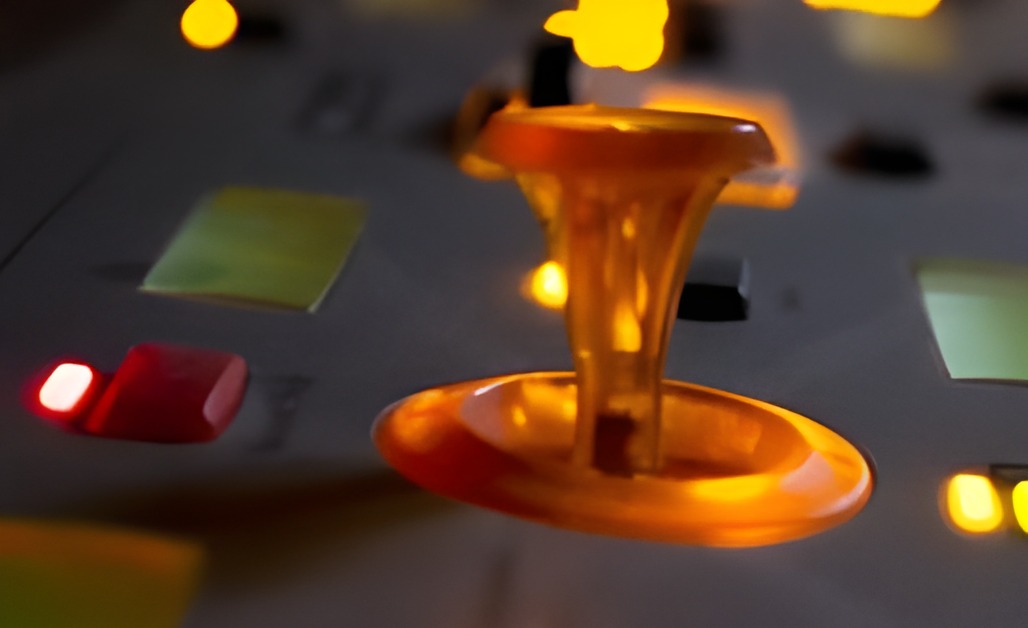
One of the Neuron’s glowing resynator sticks.
The Hartmann Neuron (2003) is one of the strangest and most interesting synthesizers ever built. Instead of oscillators or samples, it plays models: sounds analysed by Prosoniq’s resynthesis technology into a form you can bend, stretch and morph with the Neuron’s sticks and knobs. Not many were made, and inside every one is a small PC from 2002.
That PC is the problem. Mine has a failing Shuttle motherboard with tired capacitors, and it no longer boots as far as “Welcome to NEURON”. Many other owners are in the same spot, and Hartmann Music closed long ago.
This is a work in progress, but the hardest part is done, and I want other owners to know about it. I am not ready to share my tooling yet, but will do so in the near future when I have further results to share. If you are comfortable with coding, and with using Claude, you can probably duplicate this with the investment of a few days’ work, less if tools have improved since I wrote this. And if you happen to own the source code, who knows what you could achieve!
What works so far
- The original Neuron engine now runs on a modern computer. The synth program from the Neuron’s own disk (DSP engine 1.42, February 2004) runs natively, in real time, on a current 64-bit Linux PC. It is the original program, unchanged, so it sounds like a Neuron because it is the Neuron’s software. It loads the factory sounds and models and plays correct, in-tune notes.
- The front panel protocol is decoded. The panel boards, keyboard, sticks, encoders, buttons, LEDs and LCDs all talk to the PC over one ordinary serial port (COM1, 115200 baud). The keyboard notes travel over the same link. I hope a modern PC with a USB-serial adapter can take the old motherboard’s place.
- A virtual front panel lets the engine be tested on a desk with no Neuron attached. It shows the LCD and can press any button or play notes.
- ModelMaker works again. Hartmann’s MODELmaker 1.2 only runs on old Macs and Windows. Its analysis core now runs on Linux from a script, so you can turn your own samples into new Neuron models and play them on the revived engine.
- Some extras. Audio goes out in full 24-bit to any USB audio interface. The original engine was limited to 32 voices (16 notes on most sounds); an optional build raises that to 64. The CPU-load throttle that made the original machine stutter is gone, because a modern processor has room to spare: 64 voices of a heavy sound use about one core of a mid-range PC.
None of this has been connected to my real Neuron’s panel yet. That is the next step, and I will report back.
What didn’t pan out
I also tried to push the engine beyond the original: 96 kHz audio and a “full resolution” mode like the one Stephan Bernsee once demonstrated. Both turned out (for me at least) to be dead ends without rebuilding the engine itself, which I can’t do.
Most Neuron models (seven of the ten Parameter Sets) actually play the original sampled sound through the Neuron’s modelling stages, so they are already full quality. The other three rebuild the sound from its analysed partials, and the settings Hartmann chose for them turned out to be the best ones in my experiments. The engine runs at its native 44.1 kHz, and that’s fine.
How it was done
I did this with the help of Claude, Anthropic’s AI, working from a copy of the Neuron’s disk.
- Open the disk image. The community’s Neuron OS 1.5 image is an Acronis backup. We unpacked it without Acronis and rebuilt the original Gentoo Linux partitions.
- Read the program. The whole synth is a single 1.1 MB Linux program. We took it apart with Ghidra (a free reverse-engineering tool) to learn how it talks to the panel, the sound card and the disk.
- Give it what it expects. The program is from 2004 and expects a 2004 computer. It runs on modern Linux in its own folder with its original libraries, plus a few small stand-ins: a replacement sound library that sends audio to any modern interface, a couple of system files that old Linux kernels used to provide, and a safety layer for testing.
- Decode the panel. By watching the program drive a virtual panel, we mapped every button, LED, stick and encoder ID.
- Revive ModelMaker. The Windows version of MODELmaker contains the analysis library. A small loader runs that library on Linux, so models can be made without a vintage computer.
About the serial number
Each Neuron’s software is tied to its 12-digit serial number, printed on the plate on the bottom of the case. The community OS image is unserialized: the first time it starts, it asks for the number on the front panel, then the date and time.
If you use this approach, you enter your own Neuron’s serial number. I won’t publish mine, and the scripts don’t contain anyone’s. This is also a good reason to write your serial number down now, before you need it.
Using it to bring back a Neuron
There are two ways to replace the original computer. Both keep everything you touch: the case, panel, sticks, encoders, displays and keyboard. Although we have the engine running and generating audio in a virtual test environment, these steps have not been tested yet.
Option 1: a modern board inside the case
A small modern motherboard replaces the Shuttle board in the case. A Mini-ITX board fits the original Micro-ATX mounting, and a fanless one such as an Intel N100 board keeps it quiet. Pick one with a COM1 (RS-232) header for the panel cable. The original PCI sound card and I/O board are no longer needed: audio and MIDI go through a USB interface.
This is the neatest result, but it means more work inside the case: power, mounting, and about 40 mm of clearance under the display board.
Option 2: an external computer or laptop
The simplest route leaves the inside of the Neuron alone. The panel’s COM1 cable is brought out to a DB9 connector on the back. Any x86 PC can then run the Neuron through a USB-serial adapter: a used mini PC, or an old laptop. I’m starting with a ThinkPad I already had. Set up this way, Linux boots straight into the Neuron from a USB stick.
Two practical details:
- Power. The Neuron’s power supply is a PC-style supply that only turns on when the motherboard tells it to. You can leave the old board in place just to switch the power on, or fit a simple ATX jumper.
- Serial adapter. Use an FTDI-based USB-to-RS-232 adapter (a standard one, not a null-modem version). Only transmit, receive and ground are used.
What you will need
- Your Neuron’s 12-digit serial number.
- A copy of the Neuron OS: your own disk if it still reads (please back it up first with an IDE-to-USB adapter), or the community OS 1.5 image.
- A computer (inside or outside the case), a USB audio interface, and a USB-to-serial adapter for an external setup.
- The scripts from this project (below).
Sharing
The Neuron’s software belongs to its makers, not to me, so I won’t distribute it. What I will share for free is everything I wrote: the launcher, the stand-in libraries, the virtual panel, the ModelMaker tools and step-by-step instructions. You supply the Neuron software from your own disk or the community image.
I’ve written to Stephan Bernsee, Zynaptiq and Axel Hartmann about the project. The code will be published once it has been proven on a real Neuron.