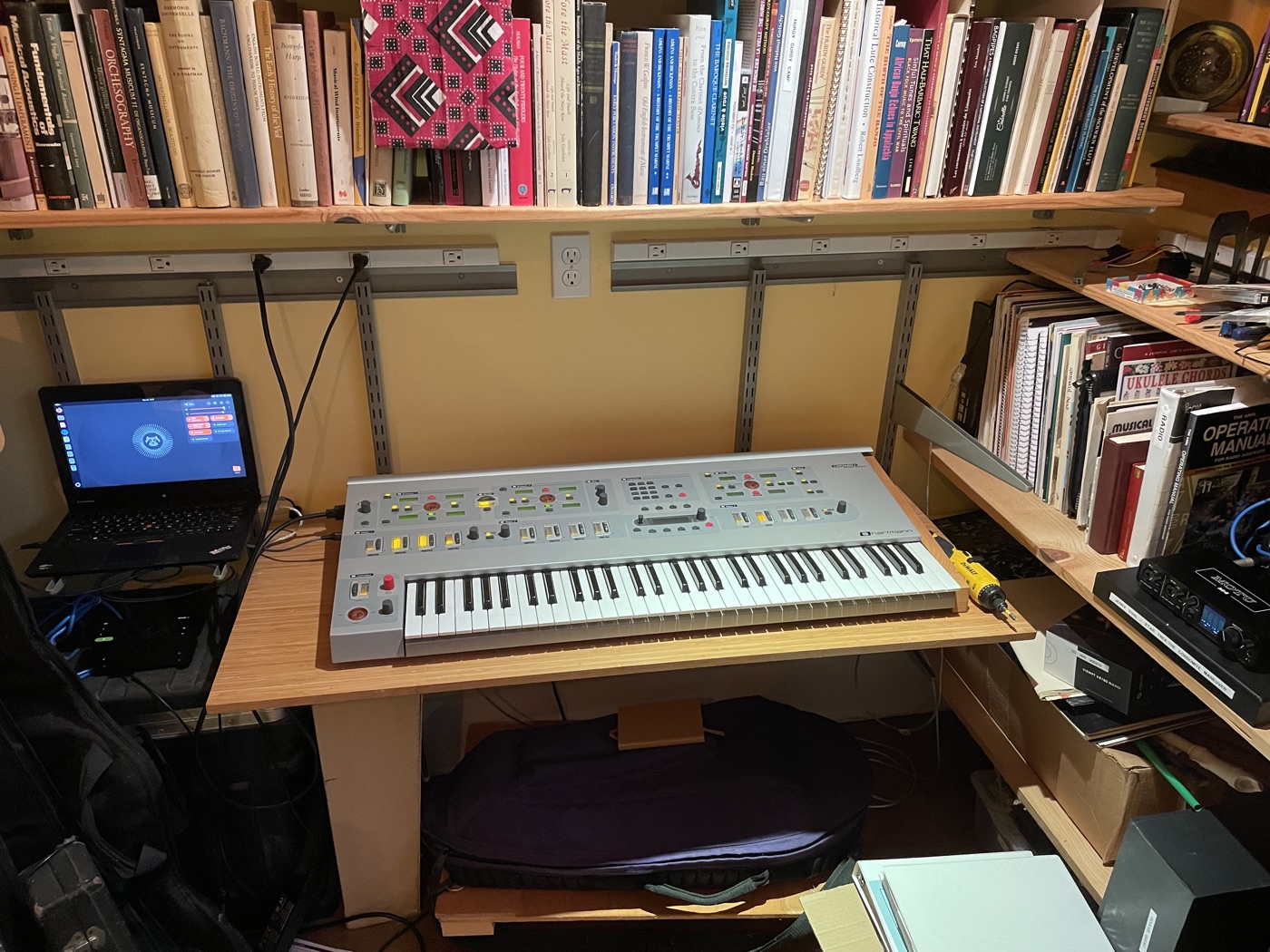
This is the software half of reviving the Hartmann Neuron: where the Neuron’s software came from, how it was extracted from an old backup format, what was kept as it was, what we wrote around it, and how to do it yourself. The hardware side (power, the serial adapter, wiring) gets its own post.
Where the image came from
Every Neuron ran its software from an internal hard disk. I still have my hard disk, but it was easier to start from a copy of that disk that Neuron owners have passed around for years: an unserialized OS 1.5 image with the version 4 Model Set, made with Acronis True Image 9. It is credited to Christopher Simmons and is still online at the community archive, the <NEURON> File Vault, as Neuron80GB-OS15.rar (1.8 GB). We later downloaded the Vault’s copy and compared it byte for byte with ours: it is the same file.
Each Neuron’s disk is normally tied to its serial number. “Unserialized” means this image isn’t: it asks for one at first start, so any owner can use it with their own instrument’s number (printed on the bottom of the case).
Cracking the format
Acronis backups use their own format, and nothing but Acronis reads them. Looking at the raw bytes showed it is less exotic than it sounds: the file is a long run of ordinary zlib-compressed chunks, each unpacking to 256 KB, with small headers in between. Unpacked in a row, the first chunk holds the disk’s boot sector and partition table, and from there the two Linux partitions can be found by the marker every ext2/ext3 filesystem carries. The /var partition, which holds the Neuron program and its library, was saved sector by sector and opens cleanly. The root partition was saved as used blocks only, so a small script reads the filesystem’s own map of which blocks are in use and puts each block back in its place. After that, both are ordinary Linux filesystems that standard tools (debugfs) can read, without Acronis and without mounting anything. One small corner of the root partition still doesn’t rebuild perfectly; it holds old Perl and Python files the Neuron never uses.
What was kept, untouched
The Neuron’s software is one program and its library, on a 2002 Gentoo Linux system. Everything below runs exactly as it came off the disk.
| On the Neuron’s disk | What it is |
|---|---|
/home/neuron/bin/neuron | The whole synth: engine, DSP, panel handling. One 1.1 MB program (OS 1.5, DSP engine 1.42, February 2004). |
/home/neuron/NeuronDB/Models/ | 341 factory models (2 GB): each a folder of .scape / .sphere pairs and a plain-text keymap. |
/home/neuron/NeuronDB/Sounds/ | 1,000 factory sounds, each a plain-text settings file plus a stick recording. |
/home/neuron/NeuronDB/ (other files) | Name lists for models, sounds and setups, and neuron.globals (tuning, velocity curve, stick calibration). |
/bin, /sbin, /lib, /usr, /etc | The 2002 Linux the program was built against: its C library, libstdc++.so.5 and the rest. The program needs these exact versions. |
Left out: the old kernel and boot files, and the rest of /var (logs and the like). A modern Linux provides the kernel and drivers.
What was added around it
All of this is new code; none of it comes from Hartmann. Folder names are in the project’s repository, neuron-revival.
| Folder | What it does |
|---|---|
tools/ | tib_inflate.py and rebuild_ext.py open the Acronis image; build_disk.py runs both and writes the two partitions out as image files. latency-test.py measures key-to-sound delay with a loopback cable. |
launcher/ | build_chroot.sh copies the kept files into their own folder; run_neuron.sh starts the program inside it, in safe or performance mode. |
shim/ | Small stand-in libraries loaded next to the original program: a replacement sound library that hands the audio to a modern sound card (and measures output levels), and helpers that control real-time priority and memory locking. Plus a fake /proc/meminfo in the format a 2002 kernel used. |
stick/ | The panel bridge (relay.py, which shares the Neuron’s panel link between the real panel, the web pages and a text panel), and the web pages (web/: a dashboard with output meters, volume and the choice of audio output, and the on-screen Neuron panel). Also an optional bootable USB stick. |
desktop/ | Installs it all on an ordinary Ubuntu computer (install.sh), starts it at boot, and runs it with or without a screen. My ThinkPad runs it this way. |
docs/ | The decoded panel protocol and the ID of every button, light, knob and stick. |
modelmaker/ | Runs MODELmaker 1.2’s analysis on Linux, to make new models. |
How the old program runs on a new computer
The program is “wrapped” in a chroot: a folder on the modern computer that the program is told is the root of the whole disk. Inside, it finds /bin, /lib, /home/neuron and the rest exactly where they were in 2004, so it runs as if nothing had changed. Only its edges are connected to new things:
- Sound: our stand-in sound library takes the audio and passes it to the USB audio interface.
- The panel: the program’s serial port,
/dev/ttyS0, is connected to the panel bridge, which talks to the real panel through a USB-serial adapter and to the web pages over the network. - Old system details: a couple of files a 2002 kernel provided are faked.
- Safety: it always runs as an ordinary user. The installed setup uses a performance mode: real-time priority on two CPU cores, for low latency, but capped so the rest of the computer stays usable. A safe mode (one core, real-time requests ignored) is there for testing on a computer that does other work.
Reproducing it
The main route is an ordinary computer with Ubuntu installed, set up to start straight into the Neuron. You need:
- the disk image (from your own Neuron’s disk, or the File Vault) and your Neuron’s serial number, printed on the bottom of the case;
- a 64-bit PC or laptop for Ubuntu 26.04 LTS (an older laptop is fine: the engine needs one fast core more than many);
- a USB audio interface, and an FTDI USB-to-RS-232 adapter for the panel cable.
1. Install Ubuntu 26.04 LTS the normal way, from Ubuntu’s own installer.
2. Get the project from github.com/NormSohl/neuron-revival into your home folder as ~/neuron:
git clone https://github.com/NormSohl/neuron-revival.git ~/neuron
3. Run the installer with the disk image. It needs about 10 GB of free space while it works and takes a few minutes.
sudo bash ~/neuron/desktop/install.sh ~/Downloads/Neuron80GB-OS15.rar
It unpacks the image, builds the Neuron’s own 2002 environment in /opt/neuron, puts the Neuron’s library in your home folder, builds the stand-in libraries, and sets the Neuron to start at boot. Your USB audio interface becomes the Neuron’s alone; the computer’s own sounds use its built-in speakers. Running it again later is safe: your saved sounds are kept.
Short on space? sudo NEURON_WORK=/some/other/disk bash ~/neuron/desktop/install.sh … unpacks the image somewhere else. And once the Neuron’s environment has been built, sudo bash ~/neuron/desktop/install.sh keep redoes everything else without unpacking the image again, which is how an update is installed.
4. Reboot. The Neuron starts by itself. Plug the panel cable into the USB-serial adapter and the Neuron’s displays come alive. From any phone or tablet on the same network, http://<computer name>.local:8080/ shows the dashboard (output meters and volume), and /panel the on-screen Neuron. A Neuron app icon opens the panel full screen. The very first start asks for your serial number on the panel’s keypad.
If you hear clicks or dropouts, give the sound a longer buffer: sudo neuron-engine set-buffer 10 (in milliseconds; the default is 5). With more than one USB audio interface plugged in, the dashboard’s Audio output card picks which one the Neuron plays through (by default, the first one that can play).
Prefer a USB stick? The project can also build a bootable stick with the same setup (stick/build-stick.sh), which runs the Neuron on a PC without installing anything. It starts more slowly, and it isn’t the main route.
Status
Finished. To check the steps above, we wiped my ThinkPad’s disk, installed Ubuntu and followed them, rebuilding the Neuron’s environment from the disk image (my saved sounds were kept). The Neuron came up, and every control on the real panel passed a one-by-one check. After tuning, a key press reaches the speakers in about 24 ms, with no dropouts; about 11 ms of that is inside the original engine, which works in fixed blocks we can’t shorten. Not yet tried: the dashboard’s output meters and audio output picker. The USB stick builder is being rebuilt and tested. The code is public at github.com/NormSohl/neuron-revival; none of it comes from Hartmann.